UI & product design
Layout screens with frames, components, and real typography. Export PNG or SVG for handoff.
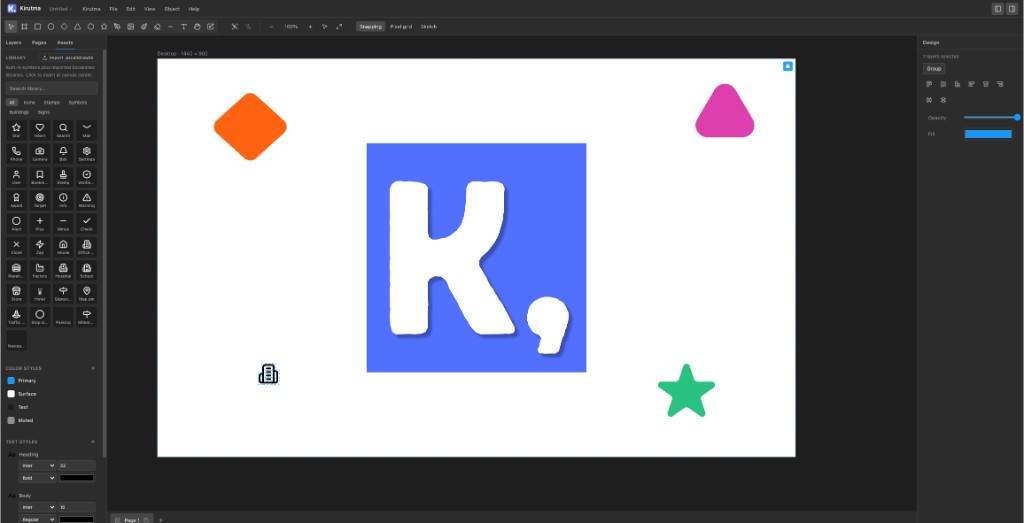
About Kirutma
Frames, vectors, layers, and export — without subscriptions, accounts, or constant connectivity. Use it in the browser or download the native macOS app.
Kirutma is a free vector design tool for wireframes, UI mockups, icons, and illustrations. Unlike cloud-only editors, your files stay local. Read what Kirutma is and who it’s for, or see the FAQ.
Try playground freeUse cases
A free vector design tool for everyday creative work — from quick wireframes to polished UI screens.
Layout screens with frames, components, and real typography. Export PNG or SVG for handoff.
Sketch flows and interfaces fast without signing into a cloud platform or paying a subscription.
Draw precise vector shapes and paths on a resolution-independent canvas.
Organise frames across pages and present fullscreen — useful for reviews and walkthroughs.
Features
Six core tools for UI, layout, and illustration — without enterprise clutter.
Pan and zoom without limits. Place multiple frames and artboards on one boundless surface.
Rectangles, ellipses, stars, and precise Bézier paths.
Fixed-size frames with snap guides and pixel grid.
Real fonts with weight, size, and spacing on canvas.
Organised layers, pages, grouping, and reusable parts.
PNG, SVG, or PDF. Present frames fullscreen when needed.
Built for focus
Whether you're wireframing, illustrating, or polishing UI — the canvas stays out of your way.
Blog
Product notes and updates from the Kirutma team.
Pricing
Playground for trying Kirutma. Free account for AI and saves. Pro for tokens, audit, and developer handoff.
Guest Mode
No account required
$0
Sign in with a free account
$9.99/mo
or $99/yr · 7-day trial
FAQ
Quick answers about Kirutma, pricing, platforms, and getting started.
Kirutma is a free vector design app for macOS and the browser. You can create frames, shapes, text, and illustrations on an infinite canvas, organise work in layers, and export to PNG, SVG, or PDF — without a subscription or account.
No. Open the playground with no sign-in and no credit card. When you’re ready for AI tools and cloud saves, sign up free — your playground draft carries over.
No account is required. You can open the app and start designing immediately. Your files are saved locally on your device. The macOS app works offline; the browser version needs a connection to load initially but keeps your work on your machine.
Files stay on your device. Kirutma does not require cloud upload or a Kirutma account. You open, save, and export files from your own storage — keeping your work private and under your control.
Kirutma runs in modern web browsers at kirutma.com/app and as a native macOS app (Apple Silicon). There is no Windows or Linux native app at this time, but the browser editor works on any desktop platform with a supported browser.
You can export selections or frames to PNG (raster), SVG (vector), and PDF. Kirutma also includes a present mode to walk through frames fullscreen.
Figma is built for real-time team collaboration in the cloud. Kirutma is local-first and free — ideal for solo design work, wireframing, and illustration when you want files on your device without a subscription. Read our Figma vs Kirutma comparison for a detailed breakdown.
Use the feature request form on this page or open an issue on GitHub. Community feedback directly shapes the roadmap.
Feature request
Have an idea for a tool, export format, or workflow improvement? Submit a feature request and we’ll track it on GitHub.
Try the playground with no account, sign up free for AI, or download for macOS.